RRB Photo Resizer: Perfect 3.5×3.5cm Square & White Background Tool
Applying for RRB NTPC, Group D, JE, or ALP? Get your photo ready in 30 seconds with our auto white background tool. Perfect 3.5×3.5cm square format & 20-50KB compression - used by 12,000+ railway exam candidates.
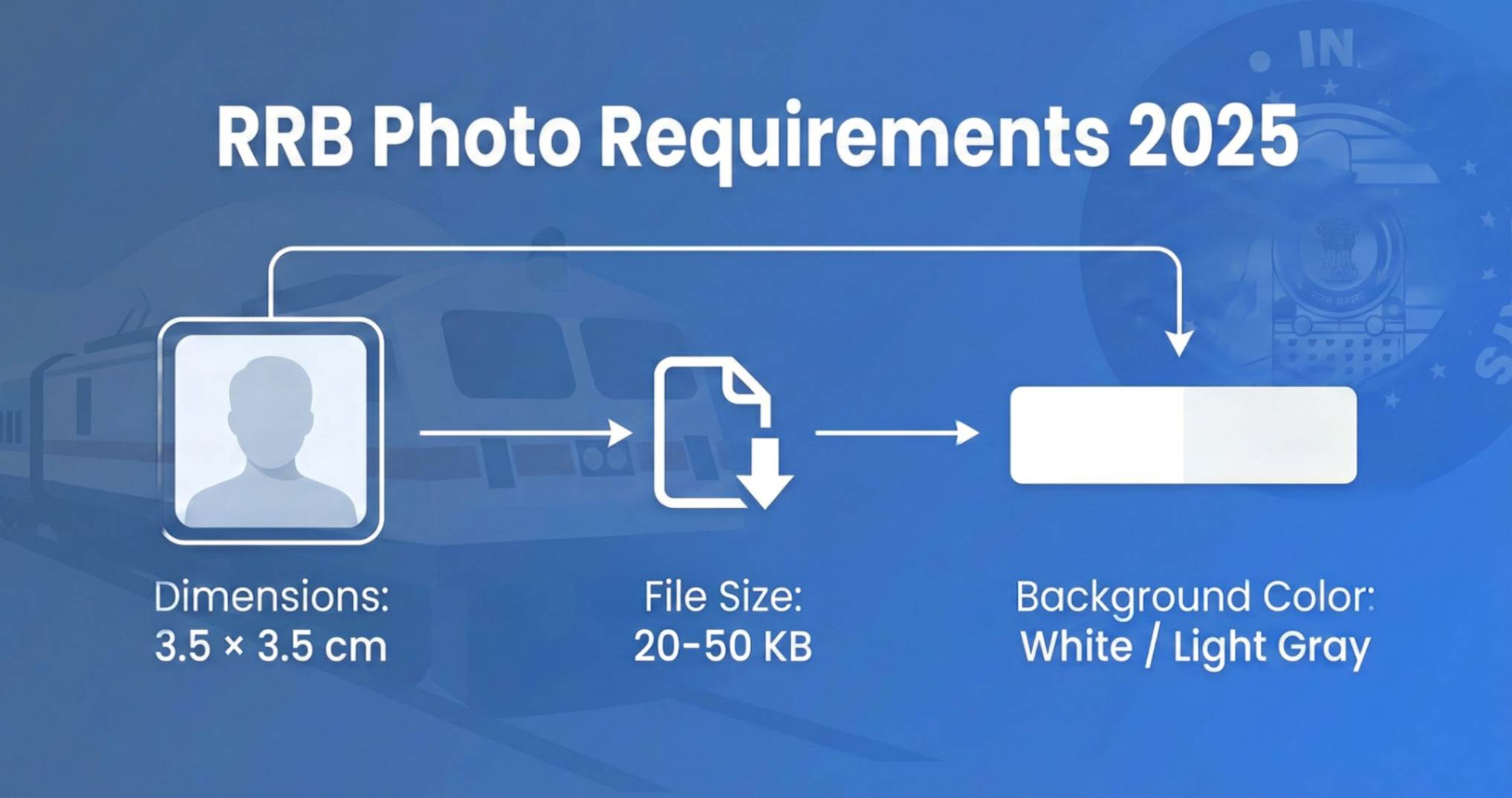
Official RRB Photo Specifications 2026
Don't Have a White Background?
Our free tool automatically converts your photo to white background, crops to 3.5×3.5cm square, and compresses to RRB's exact 20-50KB requirement. Zero manual work needed.
Resize RRB Photo Now (White BG Auto-Applied)✓ Auto white background • ✓ Square crop 3.5×3.5cm • ✓ 20-50KB size • ✓ NTPC, Group D, JE, ALP approved
📋 What's in This Guide
Why RRB Photo Specifications Matter
Let me share something that surprises most candidates: Railway Recruitment Board receives over 2-3 crore (20-30 million) applications for each recruitment cycle. That's not a typo - crores of applications.
With this volume, RRB can't manually check every photo. They use automated systems that scan your photo against strict parameters. If your photo is 51KB instead of 50KB? Auto-rejected. Wrong background color? Auto-rejected. Dimensions off by a few pixels? You guessed it.
I've talked to candidates who missed their exam date because their application was stuck in "photo verification pending" for weeks. One person's RRB NTPC application got rejected 3 times before he figured out the exact specifications.
Important Update (2025): RRB has standardized photo requirements across most exams. The specifications below apply to RRB NTPC, Group D, ALP, JE, and other railway recruitment exams unless the specific notification says otherwise.
Exam-Wise Photo Specifications
Here's a complete breakdown of photo requirements for every major RRB exam:
| RRB Exam | Photo Size | File Size | Signature Size | Background |
|---|---|---|---|---|
| RRB NTPC | 3.5×3.5cm | 20KB - 50KB | 10KB - 20KB | White/Light |
| RRB Group D | 3.5×3.5cm | 20KB - 50KB | 10KB - 20KB | White/Light |
| RRB ALP (Loco Pilot) | 3.5×3.5cm | 20KB - 50KB | 10KB - 20KB | White/Light |
| RRB JE (Junior Engineer) | 3.5×3.5cm | 20KB - 50KB | 10KB - 20KB | White/Light |
| RRB Technician | 3.5×3.5cm | 20KB - 50KB | 10KB - 20KB | White/Light |
| RRB RPF (Railway Police) | 3.5×3.5cm | 20KB - 50KB | 10KB - 20KB | White/Light |
| RRB Paramedical | 3.5×3.5cm | 20KB - 50KB | 10KB - 20KB | White/Light |
Key Insight: Notice how all RRB exams have the same photo specifications? This is intentional. RRB uses a unified verification system, so the same photo can technically work for multiple railway exams.
RRB Signature Size Requirements
Your signature is just as important as your photo. RRB uses it for verification at exam centers and on official railway ID cards. Here's what you need:
Signature Specifications
- Dimensions: 3.5cm × 1.5cm (or 4cm × 3cm for some exams)
- File Size: 10KB to 20KB
- Format: JPG/JPEG only
- Ink Color: BLACK ink on WHITE paper
- Background: Clean white, no lines
Signature DON'Ts
- ❌ Blue ink (must be black)
- ❌ Signing on ruled notebook paper
- ❌ Signature touching borders
- ❌ Stylized illegible signatures
- ❌ Digital/typed signatures
How to Create Perfect RRB Signature:
- Take a blank white A4 paper (not notebook paper with lines)
- Sign with a black ballpoint pen - not gel pen, not marker
- Sign in a 4cm × 2cm area (leave margins)
- Scan at 200 DPI or take a clear photo in good lighting
- Crop tightly around the signature
- Use our signature resize tool to compress to 10-20KB
Top 10 RRB Photo Rejection Reasons (And How to Fix Them)
Based on analysis of rejection patterns from various RRB regional offices, here are the most common reasons photos get rejected:
File Size Over 50KB
Even 50.1KB gets rejected. RRB's system is strict. Solution: Always aim for 40-45KB to be safe. Use our RRB photo resize tool.
Wrong Background Color
Blue, red, yellow backgrounds are auto-rejected. Solution: Use plain white or very light gray background only. No patterns, no gradients.
Wrong Dimensions (Not Square)
RRB needs 3.5×3.5cm (square). Passport photos (3.5×4.5cm) won't work. Solution: Crop your photo to 1:1 ratio before uploading.
Selfie or Low Quality Phone Camera Photo
Selfies with visible arm, bathroom mirrors, poor lighting. Solution: Visit a photo studio or use timer with proper tripod setup at home.
Shadows on Face or Background
Harsh shadows from single light source. Solution: Use soft, diffused front lighting. Natural daylight from a window works best.
Face Not Centered / Tilted Head
Face should be perfectly centered and looking straight. Solution: Look directly at the camera lens, keep chin level.
Wearing Cap, Sunglasses, or Headphones
Only religious headgear is allowed. Solution: Remove all accessories. Prescription glasses should not have glare.
Old Photo (Appearance Mismatch)
Photo must match current appearance. Solution: Take new photo if you've changed hairstyle, grown/shaved beard, or look significantly different.
PNG Format Instead of JPG
RRB only accepts JPG/JPEG format. Solution: Convert PNG to JPG before uploading. Our tool does this automatically.
Over-Compressed / Pixelated Photo
Compressing too aggressively makes photo blurry. Solution: Use quality-preserving compression. Aim for 35-45KB, not the bare minimum 20KB.
RRB Photo Background Color Requirements
This is one of the most common confusion points. Let me clarify exactly what RRB accepts:
✅ Accepted Backgrounds
- Pure White (#FFFFFF) - Best choice
- Light Gray (#F5F5F5) - Acceptable
- Off-White (#EEEEEE) - Acceptable
❌ Rejected Backgrounds
- Blue - Common passport photo color, but rejected by RRB
- Red/Maroon - Rejected
- Gradients - Any color transition is rejected
Pro Tip: If you have a blue background photo, you'll need to change it to white. Many photo studios can do this for ₹20-50. Or use online background removal tools, but make sure the new background is pure white.
Step-by-Step: Perfect RRB Photo Preparation
1Take or Get a Professional Photo
Option A: Photo Studio (₹50-100)
- Tell them: "RRB railway exam photo, 3.5×3.5cm square, white background, 20-50KB digital file"
- Get digital copy on WhatsApp or email
- Verify file size before leaving
Option B: Home Setup
- Plain white wall or white bedsheet
- Natural daylight from window
- Phone camera at eye level, 3-4 feet away
- Use timer, don't take selfie
2Crop to Square (1:1 Ratio)
RRB needs 3.5×3.5cm which means 1:1 aspect ratio (square). If you have a passport photo (3.5×4.5cm), you need to crop it.
Target Pixel Dimensions: 200×200 pixels (minimum) to 500×500 pixels (recommended)
3Compress to 20-50KB
This is the critical step. Your photo from camera will likely be 2-5MB. You need to get it to 20-50KB.
Quick Method:
- Go to ResizeKB.tech/rrb-photo-resize
- Upload your photo
- Tool automatically crops to square and compresses to 35-45KB
- Download and verify file size
4Verify Before Uploading
Double-check everything before submitting to RRB portal:
- Right-click file → Properties → Check file size (20-50KB)
- Verify dimensions are square (same width and height)
- Format is .jpg or .jpeg (not .png)
- Open at 100% zoom - face should be clear, not pixelated
How to Resize Photo for RRB (Free Tool)
We've built a dedicated tool specifically for RRB photo requirements. It automatically handles:
Auto Crop
Crops to 3.5×3.5cm square
Smart Compress
Targets 35-45KB optimal size
Quality Preserved
Face remains clear for verification
Ready to Resize Your RRB Photo?
Free, instant, no registration required. Works on mobile and desktop.
Resize RRB Photo Now →Frequently Asked Questions
Q: Can I use the same photo for all RRB exams (NTPC, Group D, JE)?
Yes! All RRB exams have the same photo specifications (3.5×3.5cm, 20-50KB). One correctly formatted photo works for all railway exams.
Q: My passport photo is 3.5×4.5cm. Can I use it for RRB?
No, not directly. RRB requires square photo (3.5×3.5cm). Passport and Aadhar photos are 3.5×4.5cm (rectangular), while Pan Card is 4.5×3.5cm. You'll need to crop the height for RRB. Our RRB Photo Resize tool can do this automatically while keeping your face centered.
Q: What happens if my photo is rejected after submitting application?
RRB usually allows correction window. You'll receive notification to re-upload. But this delays processing and can cause stress near exam dates. Better to get it right the first time.
Q: Is 20KB photo quality enough for RRB?
Technically yes, but I recommend aiming for 35-45KB. At 20KB, you might lose some facial detail which could cause issues during identity verification. Higher KB = clearer face.
Q: Can I wear glasses in RRB photo?
Prescription glasses are allowed if there's no glare and your eyes are clearly visible. Sunglasses are not allowed. If possible, remove glasses for the photo to avoid any issues.
Q: How recent should my RRB photo be?
Photo should be taken within the last 3 months. At exam center, your face will be matched with photo on admit card. Significant appearance changes can cause verification issues.
Q: Why is RRB photo square when other exams use rectangular?
RRB uses square photos for uniformity in their database and ID card printing system. It's specific to Indian Railways. Other exams like SSC and UPSC use different dimensions.
Final Checklist Before Uploading
✅ Ready to Resize Your Photo?
Use our free tools to resize your photo to exact specifications in seconds:
✓ No Upload to Server✓ No Watermark✓ 100% Free Forever✓ Works Offline
Conclusion
Getting your RRB photo right isn't complicated - it just needs attention to the exact specifications. Railway Recruitment Board processes crores of applications, and their automated systems are strict about photo requirements.
Remember the key specs: 3.5×3.5cm square, 20KB-50KB file size, white background, JPG format. Follow this guide, use our free resize tool, and you'll get your application accepted on the first try.
Over 45,000+ railway exam aspirants have used ResizeKB to prepare their RRB photos. Most get their applications accepted within 24-48 hours. Your turn now - good luck with your railway exam! 🚂
Also preparing for other exams? Check our SSC Photo Requirements 2025 guide for CGL, CHSL, MTS, GD exams, or see our photo size guide to understand which file size to use for different forms.
Ready to Apply for Railway Exam?
Get your photo RRB-compliant in under 2 minutes - free, instant, no signup