Photo Size Guide: 10KB, 15KB, 30KB, 100KB - When to Use Each
Confused about which KB size to choose? I've uploaded images at every size from 10KB to 200KB. Here's exactly when to use each size, with real examples and quality comparisons.
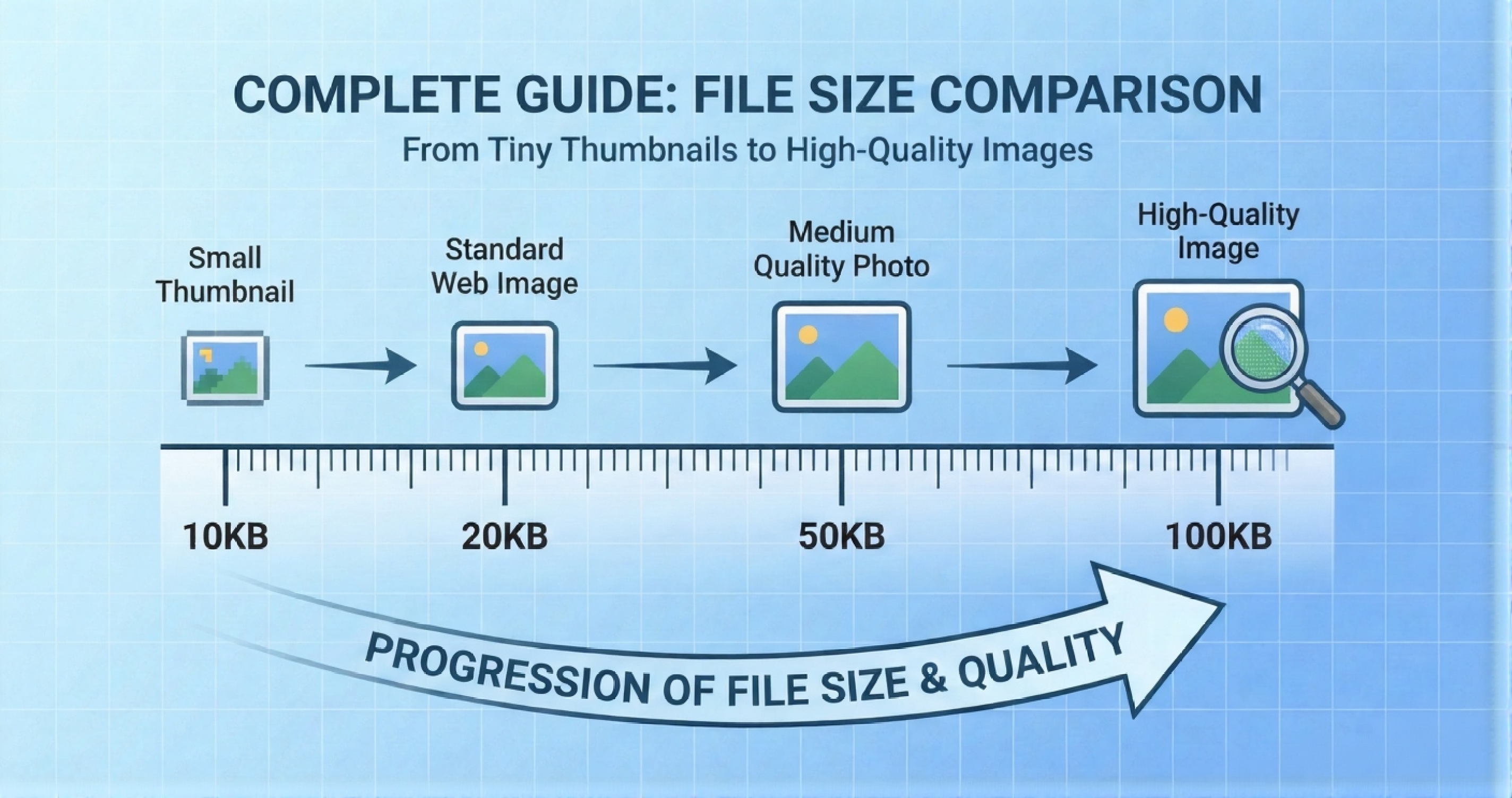
Why Photo Size Matters
Different platforms and purposes require different file sizes. Upload too large and your application gets rejected. Upload too small and the image looks pixelated. Here's the truth nobody tells you:
The "perfect" size depends on three things:
- What you're using it for (form submission, website, print)
- The original image dimensions (larger photos need more KB)
- How much detail matters (passport photo vs. thumbnail)
Complete Size Breakdown
What 10KB Looks Like
Very compressed. You'll see visible compression artifacts. Fine for tiny thumbnails but not close inspection. Think of those tiny profile pictures in email threads - that's 10KB territory.
Best Uses:
- • Email signatures: Small profile photo (50×50 pixels)
- • Forum avatars: Tiny user icons
- • Favicon images: Website tab icons
- • Thumbnail galleries: Preview images that link to full size
Avoid Using For:
- • Government forms (too compressed)
- • ID verification (quality too low)
- • Professional portfolios (looks cheap)
Pro Tip: 10KB only works for images under 200×200 pixels. Anything larger will look terrible.
What 15KB Looks Like
Noticeable compression but acceptable for small displays. Good for profile pictures that won't be enlarged. Think LinkedIn profile photo or app avatar.
Best Uses:
- • Social media avatars: Twitter, Facebook profile (200×200 pixels)
- • Team member photos: "About Us" page thumbnails
- • Chat app profiles: WhatsApp, Telegram display pictures
- • Resume photos: Small headshot in corner of PDF
Avoid Using For:
- • Government applications (most require 20KB+)
- • Visa photos (quality insufficient)
- • Professional headshots (too compressed)
Pro Tip: 15KB is the sweet spot for profile pictures under 300×300 pixels.
What 20KB Looks Like
This is the golden standard for official documents. Good quality with minimal visible compression. Can handle passport-size photos (3.5×4.5 cm at 600 DPI) without looking pixelated.
Best Uses:
- • Pan Card applications: NSDL specifically requires 20KB
- • Aadhaar updates: UIDAI accepts 20KB for photo updates
- • Government exam forms: SSC, RRB, UPSC (most accept 20-50KB)
- • Visa applications: Many embassies accept 20KB minimum
- • Job portals: Naukri, LinkedIn allow 20KB profile photos
- • University applications: Common size for admission forms
Not Ideal For:
- • High-resolution prints (too compressed)
- • Professional photography portfolio
- • Large website banners
Pro Tip: When in doubt, choose 20KB. It works for 80% of official applications.
What 30KB Looks Like
Noticeably better than 20KB. Faces look sharper, text in background is readable, colors more accurate. Good middle ground between size and quality.
Best Uses:
- • ID cards: Employee badges, student IDs (need clarity)
- • Resume/CV photos: Professional headshots
- • Dating apps: Tinder, Bumble profile photos
- • Real estate listings: Property thumbnail photos
- • Product catalogs: E-commerce small product images
Pro Tip: Use 30KB when the form says "max 50KB" - you get better quality without risking rejection.
What 50KB Looks Like
Excellent quality. Minimal compression artifacts even at 100% zoom. Suitable for professional use. International passport standard.
Best Uses:
- • Passport photos: International standard (51mm×51mm at 50KB)
- • Visa applications: US, UK, Schengen accept 50KB
- • Professional certificates: Course completion photos
- • Membership cards: Club IDs, loyalty programs
- • Medical records: Patient photos for hospital systems
- • Author bios: Book jacket photos
Pro Tip: 50KB is perfect when quality matters AND there's a size limit.
What 100KB Looks Like
Near-original quality. Can handle larger dimensions (800×600 pixels) without visible loss. Suitable for web display and light editing.
Best Uses:
- • Website hero images: Top banner photos (compressed for speed)
- • Blog featured images: Article header photos
- • Portfolio previews: Designer/photographer work samples
- • Product main images: E-commerce primary photo
- • Social media posts: Instagram, Facebook full-size uploads
- • Email newsletters: Header graphics
Caution:
- • Too large for most government forms (they cap at 20-50KB)
- • Slower page load if using many 100KB images
- • Overkill for small thumbnails
Pro Tip: Use 100KB for website images to balance quality and load speed.
What 200KB+ Looks Like
Original or near-original quality. No visible compression. Suitable for printing and professional work. Large file size means slower uploads/downloads.
Best Uses:
- • Print materials: Brochures, flyers, posters
- • Photography portfolios: Full-resolution work samples
- • Archival storage: Preserving original quality
- • Professional editing: Images that need further manipulation
- • Large format displays: TV screens, projectors
Pro Tip: Never upload 200KB+ to government portals - they'll reject it or auto-compress poorly.
Quick Decision Chart
| Your Need | Recommended Size | Why |
|---|---|---|
| Pan Card, Aadhaar | 20KB | Exact requirement by NSDL/UIDAI |
| Passport (India) | 50KB | International standard, max 300KB |
| Government exam (SSC/RRB) | 20-50KB | Most forms accept this range |
| Job portal profile | 30KB | Good quality, fast load |
| Social media avatar | 15-20KB | Small display size, platform compresses anyway |
| Website blog image | 100KB | Balance of quality and load speed |
| Email signature | 10KB | Tiny display, email size limits |
| ID card photo | 30KB | Needs clarity for scanning/printing |
Common Mistakes to Avoid
Mistake #1: Using 10KB for everything
I see people compress passport photos to 10KB thinking "smaller is better." Wrong. You'll get rejected. Most government forms need 20KB minimum for a reason - quality matters.
Mistake #2: Uploading 500KB to government portals
Their system will auto-compress your photo badly, or worse, reject it entirely. Always compress to the required size BEFORE uploading.
Mistake #3: Using the same size for all contexts
The 20KB photo you used for Pan Card won't look good on your LinkedIn profile (too compressed). The 100KB photo on your website won't work for Aadhaar (too large). Match size to purpose.
Mistake #4: Compressing already-compressed images
Don't take a 20KB image and compress it to 15KB hoping for better results. You're compressing compression. Always start from the original high-quality photo.
How to Hit Exact KB Targets
Most image compressors give you approximate results. You want 20KB, you get 18KB or 23KB. Here's how to get exactly what you need:
Easiest Method: Use ResizeKB
- Upload your original photo
- Select exact target (10KB, 20KB, 50KB, etc.)
- Click compress
- Download - it'll be EXACTLY the size you selected
Try it free → No signup, no watermarks, processes locally in your browser.
✅ Ready to Resize Your Photo?
Use our free tools to resize your photo to exact specifications in seconds:
✓ No Upload to Server✓ No Watermark✓ 100% Free Forever✓ Works Offline