Pan Card Photo Requirements 2025: Size, Format & How to Resize
Got rejected twice before I figured this out. Here's everything you need to know about Pan Card photo specifications - straight from someone who learned the hard way.
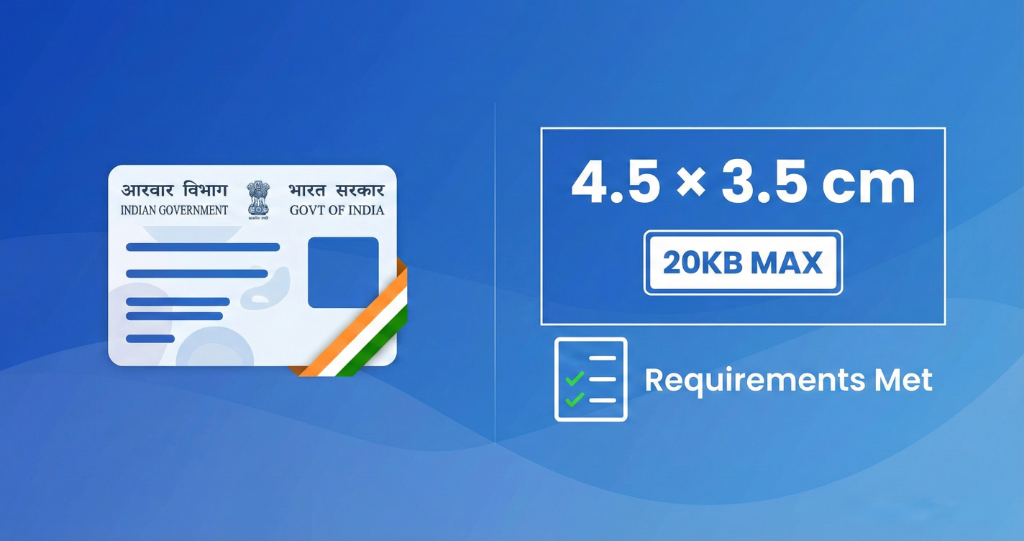
Official NSDL Pan Card Photo Specifications
Dimensions:
3.5cm × 4.5cm (width × height)
File Size:
Less than 20KB
Format:
JPEG only (.jpg or .jpeg)
Resolution:
200 DPI (minimum)
Background:
Light colored (white or off-white)
Face Coverage:
70-80% of photo area
My Pan Card Photo Rejection Story
Let me tell you about my first Pan Card application in 2023. I thought I was being smart - clicked a quick selfie, cropped it, uploaded it. Rejected within 24 hours.
Second attempt: Went to a photo studio, got professional photos. They gave me prints and a CD. The file on the CD was 450KB. I compressed it using some random online tool. Rejected again.
Third time: Actually read the specifications carefully. Measured the dimensions. Checked the file size. White background. Neutral expression. Finally accepted.
That's when I realized - most people fail not because their photos are bad, but because they don't match the exact technical specifications NSDL requires.
Why These Specific Requirements?
NSDL (National Securities Depository Limited) processes millions of Pan Card applications annually. Their automated system scans and verifies photos. If your photo doesn't meet exact specs, the system auto-rejects it - no human even sees it.
Pro Tip: The 20KB limit exists because NSDL's servers store millions of photos. Larger files would cost them significant storage. That's why they're strict about it.
Step-by-Step: Getting Your Photo Right
1Take or Get a Good Quality Photo
Option A: Photo Studio (Recommended)
- Tell them "Pan Card photo - 3.5×4.5cm, digital file under 20KB"
- Cost: ₹50-100 (they'll give you prints + soft copy)
- Make sure you get the digital file on WhatsApp or email
- Verify file size before leaving the studio
Option B: DIY at Home
- Plain white wall as background (or hang white bedsheet)
- Natural daylight (morning or evening, avoid harsh afternoon sun)
- Camera at eye level, 3-4 feet away
- Neutral expression, both ears visible
- No glasses, no cap, no headphones
2Resize to 3.5cm × 4.5cm
This is where most people mess up. Centimeters mean physical size, but digital photos need pixel dimensions:
Standard Conversion (200 DPI):
3.5cm × 4.5cm = 276 pixels × 354 pixels
Higher Quality (300 DPI - Better):
3.5cm × 4.5cm = 413 pixels × 531 pixels
(Most people use 600×450 pixels which is close enough and widely accepted)
3Compress to Under 20KB
Here's the critical step. Your 600×450 photo will probably be 200-500KB. You need to get it under 20KB without making it look pixelated.
Quick Method:
- Go to ResizeKB.tech/pan-card-photo-resize
- Upload your photo
- Tool automatically resizes to 3.5×4.5cm and compresses to under 20KB
- Download and verify file size
Common Mistakes That Get Applications Rejected
Wrong File Format
Uploading PNG or HEIC files. NSDL only accepts JPG/JPEG. Even if your file is named "photo.jpg" but it's actually PNG, it will be rejected.
File Size Over 20KB
Even 20.5KB gets rejected. Their system is strict. Aim for 18-20KB to be safe.
Wrong Aspect Ratio
Using square photos (1:1) or random dimensions. Must be 3.5:4.5 ratio. A 500×500px photo will be rejected even if it's under 20KB.
Dark or Colored Background
Blue, red, or gray backgrounds get flagged. Must be white or very light off-white. No patterns.
Wearing Glasses or Cap
Sunglasses are obviously not allowed, but even prescription glasses can cause glare or hide eyes. Take them off if possible. No caps, hats, or headgear (except religious reasons).
Over-Compressed (Pixelated)
Compressing too aggressively makes photos blurry or pixelated. Facial features must be clearly visible even at 20KB.
Pro Tips From Real Experience
1. Keep Your Original File
Always save your high-resolution original before compressing. You'll need it for other documents (Aadhaar, passport, job applications).
2. Test Before Uploading
Right-click your file → Properties → Details. Verify dimensions are 3.5×4.5cm equivalent (around 400-600 pixels width) and file size is under 20KB.
3. Apply Early Morning
NSDL servers are less loaded between 9-11 AM. Faster processing, fewer errors.
4. Use Chrome or Edge
Some users report upload issues with Safari or older browsers. Chrome and Edge work most reliably with NSDL's portal.
5. Don't Over-Edit
No beauty filters, no Instagram effects. Natural lighting and plain background are all you need. Over-editing adds file size and can cause rejection.
Frequently Asked Questions
Q: Can I use my passport photo for Pan Card?
Not directly. Passport photos are 51mm×51mm (2×2 inches), while Pan Card needs 35mm×45mm (3.5×4.5cm). Different dimensions. You'll need to crop and resize.
Q: What if my photo studio gives me a 50KB file?
You need to compress it further. Use our Pan Card photo tool - it automatically compresses to under 20KB while maintaining quality.
Q: How long after uploading photo do I get Pan Card?
If photo is accepted: 7-15 days for physical card delivery. You get e-PAN instantly (within 24-48 hours) via email. If rejected: You'll see error within 1-2 days on tracking portal.
Q: Can I reapply immediately if rejected?
Yes, but wait for rejection email with reason. Fix that specific issue before reapplying. Multiple rejections can flag your application for manual review (slower process).
Q: Is color photo mandatory?
Yes. Black and white photos are not accepted. Must be color photo with natural skin tone visible.
Quick Checklist Before Uploading
Final Thoughts
Getting your Pan Card photo right isn't complicated - it just requires attention to detail. I've seen people stress about this for weeks, when it actually takes 5 minutes if you know what to do.
Follow these specs, double-check your file before uploading, and you'll get your Pan Card on the first try. Over 50,000 people have used our tool this year for Pan Card photos - most get accepted within 2 days.
Ready to Resize Your Pan Card Photo?
Get it perfect in under 2 minutes - auto-resize to 3.5×4.5cm and compress to 20KB
Resize Pan Card Photo Now →